Xtream Codes IPTV The Definitive Guide to Setup
When exploring modern streaming solutions, you will encounter various terms such as M3U links, Stalker portals, and the Xtream Codes IPTV system, Among these, Xtream Codes has evolved into an industry standard for streaming live TV channels playlist, movies, and series directly to applications and media players across a wide range of devices including Android phones, Smart TVs, PCs, TV boxes, and iPhones.
Whether you are setting up a new streaming device or looking to optimize your current configuration, understanding how this system works and how to input the necessary data can significantly enhance your daily experience of watching the iptv world channels m3u included in your subscription.
What Exactly is Xtream Codes IPTV?
Although its name suggests a standalone app or streaming service, Xtream Codes is actually a credential based login protocol originally designed as a comprehensive dashboard for streaming service operators that supports various types of players distinguished by their playback quality, features, and interfaces, The API architecture behind these applications has transcended its enterprise origins to become a global connectivity standard linking IPTV servers with playback apps, all to ensure an enjoyable viewing experience for the user.
When you purchase an IPTV subscription, a provider typically supplies three vital pieces of data:
- Server URL (Host): The web address pointing to your provider’s streaming server, often accompanied by a specific port number.
- Username: A unique identifier tied to your specific account package and concurrent device limits.
- Password: Your secure account key.
Instead of dealing with long, unwieldy static file paths like traditional M3U links, entering these three credentials into an Xtream Codes iptv compatible player establishes an interactive API session.
Xtream Codes vs. M3U Playlists: Key Differences
While both methods pull content from your provider, they function quite differently under the hood.
| Feature | Xtream Codes API | M3U Playlist Link |
|---|---|---|
| Format Type | Interactive API login (URL, User, Pass) | Static text file download link |
| EPG Integration | Automatic and dynamically synced | Often requires manual path configuration |
| VOD Organization | Automatically sorted into structured categories, seasons, and posters | Usually displays as a monolithic list of raw files |
| Account Status | Displays expiration date and connection counts live | No visibility into account metrics or billing status |
Choosing the Xtream Codes login option generally yields a cleaner interface, faster channel loading, and automated Electronic Program Guide (EPG) mapping.
How to Set Up Xtream Codes on Popular Devices
Configuring your subscription using this protocol is straightforward on almost any modern hardware ecosystem (iptv app in Fire TV Stick tv box, Android TV, Smart TVs, or iOS/PC devices). Follow these general steps:
- Download a Compatible Player: Install a reliable IPTV media player from your device’s official app store. Popular choices include IPTV Smarters Pro, XCIPTV, TiviMate, or Televizo.
- Select Login Method: Open the application and choose the option labeled “Login with Xtream Codes API” (rather than loading a file or URL playlist).
- Input Your Credentials:
- Enter a recognizable name for the playlist (e.g., Home TV).
- Carefully type or paste the Server URL (ensure http:// or https:// is included).
- Input your assigned Username and Password.
- Connect and Sync: Click add or login. The app will communicate with the server, download your channel categories, VOD catalogs, and sync the program guide automatically.
Troubleshooting Common Xtream Codes Issues
Even with a stable setup, minor connection hiccups can happen Here is how to resolve the most frequent errors:
- “Invalid Credentials” Error: Double-check your spelling. Server URLs are case-sensitive. If data is correct, your subscription may have expired, which some apps mistakenly report as a general login failure.
- Connection Limit Reached: This occurs when your account is actively streaming on more devices than your plan permits. Close the stream on other hardware before trying again.
- Buffering During Peak Hours: Switch your stream format setting (e.g., changing from HLS to MPEG-TS) inside your player’s settings, clear the application cache, or connect your streaming box via a wired Ethernet cable instead of Wi-Fi.
Frequently Asked Questions
Do I need to download an Xtream Codes app?
No. Xtream Codes is a login protocol, not an app. You enter your server details into a separate media player app that natively supports the Xtream API.
Why is my EPG (Program Guide) empty?
In most cases, the Xtream API populates the guide automatically. If it remains blank, navigate to your player’s settings menu, locate the EPG section, and manually refresh or update the guide source URL provided by your service operator.
Are free Xtream codes safe to use?
Publicly shared “free” lists found on forums or open channels are generally unreliable, frequently blacklisted, short-lived, and pose security risks. For consistent performance, opt for stable, verified services.
Are you currently setting up a new device, or are you looking for advice on choosing the best media player app for your specific setup?
Xtream Codes IPTV on Fire TV and Other Devices
Some streaming platforms support IPTV applications that can connect to compatible IPTV services However, the exact installation process varies by operating system and device.
Before installing an application, verify:
- Operating system compatibility.
- Application availability.
- Supported IPTV connection methods.
- Remote-control compatibility.
- Required storage.
The same IPTV credentials may not work identically across every application if the applications implement the connection method differently.
Why Xtream Codes IPTV May Not Work
There are numerous potential reasons for an IPTV account connection failure the issue does not always lie with the application itself, as the problem may sometimes stem from the reseller’s control panel or your receiver.
Possible causes include:
1)-Incorrect username.
2)-Incorrect password.
3)-Incorrect server URL.
4)-Expired account.
5)-Server outage.
6)-Network problem.
7)-Application incompatibility.
8)-Provider-side restrictions.
9)-Device related issues.
Troubleshooting should therefore be systematic.
How to Fix Xtream Codes IPTV Login Problems
Check Your Username
- Make sure the username has been entered exactly as supplied.
- Avoid adding spaces before or after the username.
Check Your Password
- Passwords can be case-sensitive.
- Enter the password carefully.
Verify the Server URL
- The server address is one of the most common sources of configuration errors.
- Copy it exactly from your provider’s information.
Check Account Status
- If the credentials are correct but the service does not connect, verify that the account is still active.
- An expired subscription cannot be fixed by reinstalling the application.
Test Your Internet Connection
- Open another application or website on the same device.
- If other internet services also fail, the issue may be your network rather than the IPTV application.
How to Fix Xtream Codes IPTV Buffering
Buffering can be frustrating, especially during live broadcasts or while watching tournaments or European leagues however, there are several possible reasons for this:
Check Your Internet Connection
A stable connection is essential for streaming, so do not focus solely on the advertised maximum internet speed stability and consistency are also important to avoid these issues.
Test Different Channels
Try watching multiple channels if one channel experiences buffering (stuttering) while others work normally, the issue may be specific to that particular broadcast or originate from the service provider itself.
Restart Your Router
Restarting the router can resolve temporary connectivity issues the problem arises because the IP Address changes automatically when the receiver is turned on, requiring a router restart to temporarily fix the issue.
Use Ethernet
If your Android TV box or streaming device supports Ethernet, a wired connection may provide a more stable connection than weak WiFi.
Reduce Network Traffic
If multiple devices are simultaneously streaming, gaming, downloading files, or performing backups, network congestion can affect IPTV playback.
Test a Lower Resolution
If the IPTV service offers different streaming qualities, try using a lower resolution this can help determine whether limited bandwidth or device constraints are contributing to the problem.
Xtream Codes IPTV and EPG
EPG stands for Electronic Program Guide It provides information about television schedules.
A functioning EPG may show:
1/-Program titles
2/-Start times
3/-End times
4/-Descriptions
5/-Upcoming programs
The availability and accuracy of EPG information depend on the IPTV service If the guide is empty or incorrect, the issue may be related to the provider’s EPG data rather than the IPTV application.
Xtream Codes IPTV for Movies and Series
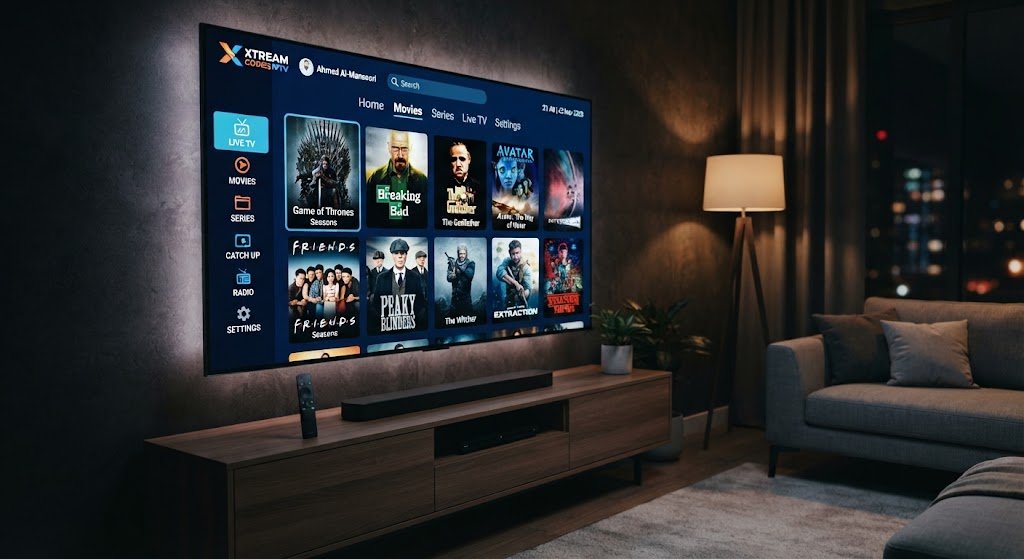
Some IPTV services offer Video on Demand (VOD) libraries alongside live TV broadcasting, Depending on the specific service and application, movies and series are organized within extensive lists of global channels categorized into diverse, distinct groups where a well designed user interface facilitates easy browsing and searching, ensuring an enjoyable viewing experience.
Useful features may include:
🧐 Genre categories.
🔍 Search.
👏 Favorites.
📺 Recently watched.
👷♂️ Resume playback.
👷♂️ Subtitles.
🔊 Audio-track selection.
Not every IPTV application supports every feature, so you should verify compatibility always your device.
Xtream Codes IPTV for Sports
Live sports events such as widely watched global championships and leagues are highly sensitive to broadcast interruptions a brief moment of buffering can cause users or viewers to miss a crucial moment or an exciting play.
For sports viewing, consider:
- Stable internet.
- Reliable IPTV infrastructure.
- Appropriate video quality.
- Capable hardware.
- Wired networking when practical.
The application is only one component of the overall streaming chain.
Xtream Codes IPTV and Internet Speed
There is no single bandwidth limit that guarantees optimal IPTV streaming quality, as different streams utilize varying compression methods and resolutions generally, higher quality streams require more bandwidth, Standard definition video typically demands fewer resources than High Definition (HD), Full HD, or Ultra High Definition (4K) streams, However, connection stability is just as important as speed a connection prone to frequent packet loss can cause streaming interruptions, even if the theoretical download speed appears sufficient, Therefore, a stable connection free from frequent packet loss is essential to ensure a high quality, uninterrupted viewing experience that satisfies both new and existing customers.
How Many Devices Can Use Xtream Codes IPTV?
It depends entirely on the IPTV service provider’s account policy some services may allow only one active connection, while others might permit multiple simultaneous connections across various devices, Therefore, you should not assume that a single account automatically supports an unlimited number of devices, as using the account on multiple devices at the same time could lead to your subscription being automatically blocked, Always make sure to review and adhere to the provider’s terms to avoid running into issues you hadn’t previously clarified with them.
Xtream Codes IPTV Security and Privacy
Security is a critical consideration when handling IPTV credentials which may include your username and password, as well as access to a paid service so they should be treated with the same care as any other account credentials.
Do not:
- Post credentials publicly.
- Share account information with unknown individuals.
- Upload credentials to public forums.
- Enter credentials into suspicious applications.
- Download modified IPTV applications from unknown websites.
Use reputable applications and keep your device updated.
Avoid Fake Xtream Codes IPTV Websites
Search engines and social media platforms may feature websites claiming to offer free IPTV credentials these sites might employ misleading download buttons or request unnecessary personal information, and some may advertise extensive channel lists without clearly disclosing the content source, Users should therefore exercise caution regarding services that seem too good to be true.
A professional IPTV service should clearly explain:
- What it provides.
- How accounts work.
- Which devices are supported.
- How to configure the service.
- How to contact support.
- What its terms and policies are.
Are Xtream Codes IPTV Services Legal?
The technology itself is not illegal Internet Protocol Television (IPTV) is simply a method for transmitting audiovisual content such as movies, series, children’s programming, sports, and documentaries from global and local channels over the internet, The legal status generally depends on the nature of the distributed content and whether the provider holds the necessary authorization to distribute it While licensed broadcasters and legitimate streaming services can legally utilize IPTV technology, the unauthorized redistribution of IPTV services featuring channels, movies, sports broadcasts, or other copyrighted media may constitute a violation of applicable laws Therefore, users should opt for services that possess the appropriate rights or licenses for the content they provide.
Xtream Codes IPTV vs Traditional Television
Traditional television typically relies on terrestrial, cable, or satellite broadcast infrastructure, where channels are accessed via specific satellites and encrypted content is decoded using a dongle or an internet server However, with the evolution of the field, IPTV technology utilizes internet networks to transmit content, leading to several key differences traditional television is often tied to a specific receiver or distribution network, whereas IPTV services can be accessed via a variety of internet-connected devices, Furthermore, IPTV offers features such as Video on Demand (VOD) libraries, content search capabilities, electronic program guides, and personalized favorites lists, depending on the specific application and service provided Nevertheless, IPTV relies heavily on an internet connection meaning network outages can disrupt the service whereas traditional broadcast television can continue to operate independently of the internet.
How to Choose a Reliable IPTV Application
When selecting an IPTV application for Xtream-style connections, consider more than appearance.
Compatibility
Make sure the application supports your operating system and device.
Connection Support
Verify that the application supports the connection method provided by your IPTV service.
Interface
A clean interface can make large content libraries much easier to navigate.
EPG Support
If program schedules matter to you, look for an application with appropriate EPG support.
Favorites
Favorites can save time when you regularly watch the same channels.
Search
A strong search function becomes particularly valuable with large channel lists.
Updates
Applications that receive legitimate maintenance updates may offer better compatibility and security over time.
Common Xtream Codes IPTV Errors
Invalid Login
This usually indicates that the username, password, or account information is incorrect or no longer valid Please carefully check your credentials paying close attention to uppercase and lowercase letters and numbers and contact your service provider if necessary to resolve the issue immediately.
Server Unavailable
This may indicate a service outage on the provider’s end, an issue with the server itself, a problem with the master reseller panel, or an internet outage affecting the IPTV service’s central database However, if your internet connection is working normally, contact your IPTV service provider or wait for the service to resume after the provider resolves the issue and completes maintenance.
No Channels Available
This can result from:
- Incorrect account configuration.
- An expired account.
- A provider-side problem.
- Unsupported application configuration.
EPG Not Loading
Check whether EPG information is included with the service and whether the application supports it correctly.
Best Practices for Using Xtream Codes IPTV
A reliable setup begins with simple habits.
Keep Your Credentials Private
Treat your IPTV username and password as private account information.
Use a Trusted Application
Avoid modified APK files and suspicious applications.
Keep Your Device Updated
Install legitimate operating-system and application updates.
Maintain a Stable Internet Connection
Use Ethernet where practical for permanent television setups.
Keep Your IPTV Application Organized
Use favorites and categories to reduce unnecessary browsing.
Monitor Account Status
If your subscription has an expiration date, keep track of it so you can identify expired-account problems quickly.
Frequently Asked Questions About Xtream Codes IPTV
1)-What is Xtream Codes IPTV?
Xtream Codes IPTV generally refers to an IPTV connection method in which a compatible application uses server information and account credentials to access content provided by an IPTV service.
2)-What do I need to use Xtream Codes IPTV?
Typically, you need a compatible IPTV application, a supported Android or other compatible device, an internet connection, and valid credentials supplied by your IPTV provider.
3)-Is Xtream Codes the same as an IPTV subscription?
No. Xtream-style access is a connection method. The subscription or IPTV service provides the actual content.
4)-Can I use Xtream Codes on Android?
Yes, provided that the IPTV application supports the relevant connection method and is compatible with your Android device.
5)-Can I use Xtream Codes on Android TV?
Many IPTV applications designed for Android TV support Xtream-style configurations, but compatibility should always be checked for the specific application.
6)-Is Xtream Codes better than M3U?
Neither is universally better. The appropriate choice depends on what your IPTV provider supports and which configuration is more convenient for your device.
7)-Why are my Xtream credentials not working?
Check your username, password, server address, account status, internet connection, and application compatibility.
8)-Why does my IPTV stream buffer?
Buffering can be caused by network instability, Wi-Fi interference, insufficient bandwidth, device limitations, provider-side congestion, or a problematic stream.
9)-Can one Xtream account be used on several devices?
That depends on the provider’s account policy. Some services restrict simultaneous connections.
10)-Does Xtream Codes IPTV include an EPG?
Some IPTV services provide EPG information through their supported system, but availability depends on the provider and application.
11)-Can I use Xtream Codes for movies and series?
If the IPTV service provides video-on-demand content and the application supports it, movies and series may appear alongside live channels.
12)-Is it safe to share Xtream credentials?
No. Credentials should be kept private because they may provide access to your IPTV account.
Conclusion
The term Xtream Codes IPTV is significant for anyone exploring modern IPTV applications, as it describes a convenient method for connecting a compatible player to an IPTV service Instead of manually managing massive playlists, users can simply enter the server address, username, and password, allowing the application to automatically retrieve the available content This technology offers substantial benefits when integrated into a well designed IPTV app features such as categories for live TV, movies, and series alongside favorites lists, search tools, and electronic program guides significantly simplify the management of extensive content libraries At the same time, users should be aware of the associated limitations access via the Xtream system does not automatically guarantee high streaming quality, as performance depends on various factors, including the IPTV provider’s infrastructure, internet connection, device capabilities, app compatibility, and the quality of the individual stream.