IPTV Smarters Player APK: Complete Guide to Installation, and Smart Streaming
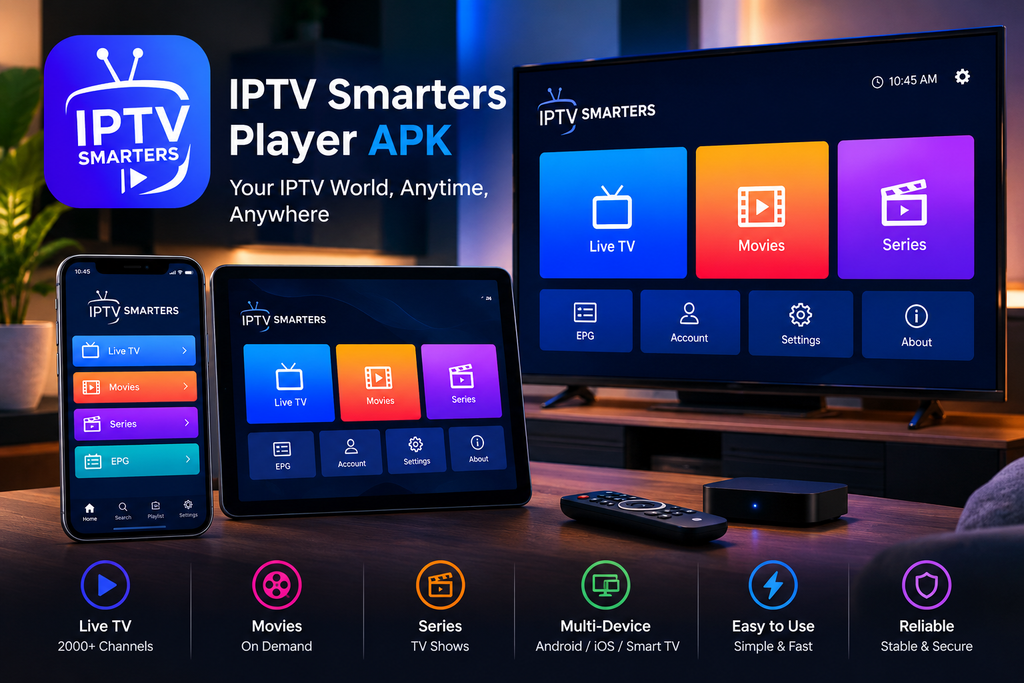
If you are looking for the “IPTV Smarters Player” APK, you are likely seeking a convenient way to use an IPTV player on an Android phone, tablet, Android TV device, or other compatible streaming device “IPTV Smarters Player” has gained widespread popularity in the IPTV sector; it provides a centralized interface for organizing and playing user supplied streaming playlists, rather than providing the TV channels or movies itself This distinction is fundamental the app functions solely as a media player, while the actual channels, streams, playlists, or video sources originate from the user or an independent, authorized service provider Official documentation explicitly states that the app does not include any playlists, iptv channels, or media content, and that users are responsible for accessing only the content they are legally authorized to view.
For people researching an IPTV Smarters Player APK download, understanding what an APK is, how to install it safely, what features to expect, and how to avoid unofficial or modified versions is more valuable than simply finding a download button APK files are Android application packages, and installing one from outside an official app store can introduce additional security and compatibility considerations A reliable approach is therefore to identify the correct application and developer, use an official source whenever possible, check the requested permissions, keep Android security protections enabled, and avoid modified APKs promising premium features or unauthorized content. This guide explains the entire process while focusing on practical information that can help users make better decisions.
What Is IPTV Smarters Player APK?
The term “IPTV Smarters Player APK” denotes the Android application package needed for the installation of “IPTV Smarters” or Smarters Player application on some Android operating systems. Unlike a common television service, a player does not have to be the source of the programs; its purpose is to provide a way of organizing and running streams and playlists obtained by users, which they are allowed to use independently.
This is essential, as the term “IPTV APK” is often used incorrectly in many examples from the network, to mean both IPTV players and IPTV services. These two things are not the same. An IPTV player is very similar to a media application that offers tools for loading and playing compatible content. An IPTV subscription or playlist represents the source of channels and other media. The official terms used by Smarters Player clearly express this difference: the buyer does not obtain any playlists, channels, or media after buying or activating the application.
Because of the above reasons, this is one of the most important terms in the niche of IPTV Smarters Player APK, as it represents what people mean when they type this phrase in search engines. The person could be looking
How Does IPTV Smarters Player Work?
The fundamentalidea is fairlysimple. The user gives a suitable playlist or approved streaming source once the player is set. The program then examines that data and shows the accessiblematerial through its interface. Usersmight be able to arrange channels, browse categories, access electronic program information, and play supported video streams depending on the exact version and platform.
Official Smarters Player documentation defines the program as asophisticated player thathandles user-created M3U and JSON playlists. It also stresses that the user is inchargeofreviewing whether the playlist and content they utilize are lawful and whether they have the neededpermissions to stream or record that content.
This designhelpsone understand why putting an IPTV Smarters Player APK on their phone and all device too does not automatically grant someone access to TV channels. The APK installs the player; it does not magically create a legitimate television subscription. Therefore,users should be wary of websites purporting that a given APK alreadycomprises thousands of premium channels, movies, or sports events without detailing the underlying content rights.
Main Features to Look For in IPTV Smarters Player
The exact feature set can vary depending on the application version, operating system, and developer, but a modern IPTV player can provide several useful capabilities.
1. Live TV Playback
One of the primary reasons people use IPTV players is to organize live television streams. Instead of opening individual links or applications for different sources, a compatible player can provide a centralized interface for browsing available channels.
When the underlying stream is legitimate and compatible with the player, the experience can be much more convenient than manually managing individual streaming URLs.
2. M3U Playlist Support
M3U is one of the most commonly encountered playlist formats in the IPTV environment. An M3U playlist can contain information that allows a compatible player to identify and organize streaming sources.
The important point is that M3U itself does not determine whether content is legal. The legality depends on the source and the user’s rights to access the content. The official Smarters Player terms specifically describe M3U and JSON playlists as user-provided sources.
3. Electronic Program Guide
An IPTV player may also support an Electronic Program Guide (EPG). An EPG can make live television easier to navigate by showing program information, schedules, and upcoming broadcasts where the supplied data supports it.
A good EPG implementation can significantly improve usability because viewers can understand what is currently playing without opening separate websites or applications.
4. Video-on-Demand Organization
Some IPTV player versions can organize movies and television series supplied through compatible playlists or APIs. This can make a large content library easier to browse.
However, it is important to remember that the player does not necessarily provide those movies or series itself. The underlying source must come from the user’s authorized provider or personal media collection.
5. Multiple Playlists
For users who legitimately manage several streaming sources, multiple-playlist functionality can be particularly convenient. Rather than replacing one playlist every time they want to use another source, the application can provide a centralized environment for managing different lists.
The exact number of playlists and supported input methods depends on the specific application and version.
6. User-Friendly Interface
A major advantage of a dedicated IPTV player is organization. Instead of dealing with raw URLs or files, users can typically navigate categories, channels, programs, and other available media through a graphical interface.
For large channel lists, good organization becomes particularly important because a technically capable player can still be frustrating if searching and navigation are poorly designed.
IPTV Smarters Player APK for Android
APK installation is synonymous with Android, as Android devices are capable of allowing the installation of applications through package files other than the Google Play Store when possible.
Nevertheless, users should understand that this flexibility does not mean that they are completely safe from any risk of installing an APK from a random website By downloading the APK from an unknown source, the users trust the website and the author of the file thus, the APK might include unwanted programs, advertisements, trackers, or other harmful elements.
Therefore, users who want to download IPTV Smarters Player APK for Android should opt for an official source whenever one is available. At the moment, the official instructions for Smarters Player installation contain steps on how to install the software on Android TV and state that it may be necessary to allow the installation of the given installer application to install it outside the store.
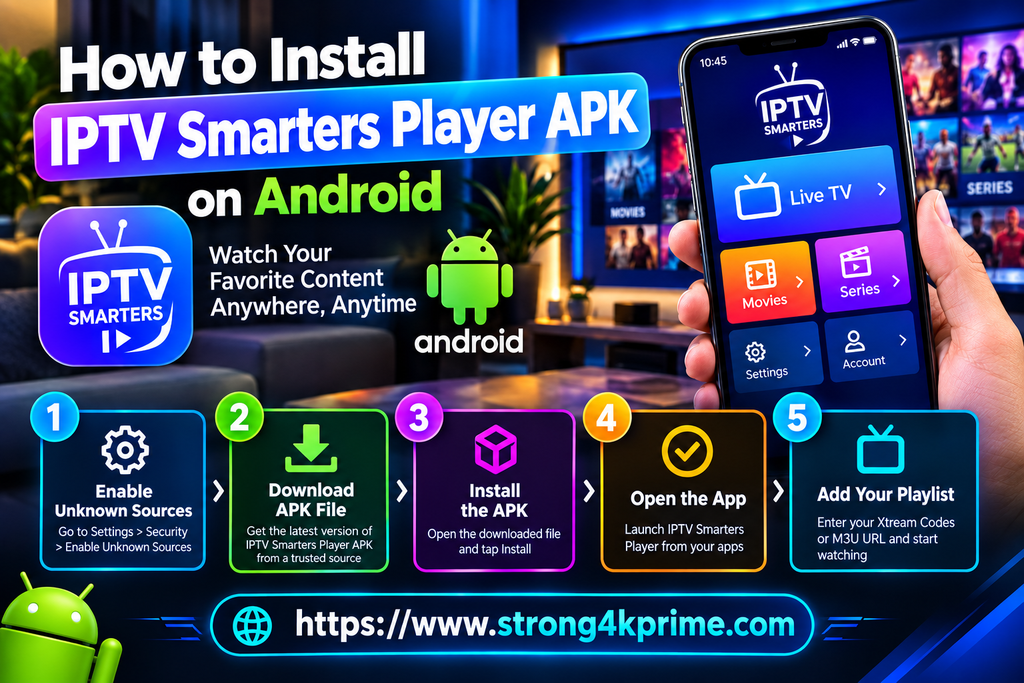
How to Install IPTV Smarters Player APK on Android
The exact procedure varies according to the Android version and device manufacturer, but the general process is straightforward.
Step 1: Identify the Correct Application
Before downloading anything, verify the application’s name, developer, and source. Do not assume that every website using the words “IPTV Smarters Player” is associated with the actual developer.
This is especially important because IPTV-related APK websites often use very similar names.
Step 2: Download From a Trustworthy Source
If an official version is available for your device, prefer that version. Avoid websites that provide suspiciously modified applications or claim to offer unlocked premium versions.
An APK described as “MOD,” “cracked,” “premium unlocked,” or “no activation required” deserves particular caution.
Step 3: Review Android’s Security Warning
Android may display a warning when an application comes from outside the normal app store. This does not automatically mean that the APK is malicious, but it does mean you should verify the source before proceeding.
If your device allows installation from unknown sources, only enable the permission for the specific application that needs it and disable it afterward if you do not need it.
Step 4: Install the APK
Open the downloaded APK file and follow Android’s installation prompts. If the package is compatible with your device, Android will install the application.
If installation fails, do not immediately download another random APK. The problem could be related to Android compatibility, an incomplete download, an existing conflicting version, insufficient storage, or an incompatible architecture.
Step 5: Open IPTV Smarters Player
Once installed, open the application and examine the available login or playlist options.
Remember that the player itself does not automatically provide television programming. The official Smarters Player website clearly states that users must provide their own content or playlist.
IPTV Smarters Player APK for Android TV
The Android TV platform offers a suitable environment for IPTV applications, with an interface designed specifically for large screens and remote controls.
The official Smarters Player installation guide currently provides instructions for Android TV and Android boxes. It also explains that installation outside a standard application store can require the user to permit installation from an unknown source.
Once installed, users should configure the player with their authorized playlist or compatible streaming source. A stable internet connection is also essential, especially when watching high-resolution video.
For television use, Ethernet or a strong 5 GHz Wi-Fi connection can often provide a more stable experience than a weak wireless signal. However, the required bandwidth ultimately depends on the video resolution, codec, server performance, network congestion, and number of simultaneous streams.
Is IPTV Smarters Player APK Safe?
The answer depends largely on which APK you download.
The official application and an unofficial APK copied or modified by an unknown website should not be treated as equivalent. The greatest risk often comes from downloading a package from a source that cannot be verified.
A safer approach includes several simple principles:
- Prefer official application stores when the legitimate application is available.
- Use the developer’s official website when direct APK distribution is provided.
- Avoid modified or cracked APKs.
- Do not disable Android security features unnecessarily.
- Review application permissions.
- Keep Android and the application updated.
- Delete APK files you no longer need.
- Be suspicious of websites demanding unnecessary personal information.
- Never provide passwords or payment details to an untrusted APK website.
The official Smarters Player website also warns users that third-party providers advertising content or subscriptions under the Smarters name may be fraudulent and emphasizes that the application itself does not supply content.
Why You Should Avoid Modified IPTV Smarters APK Files
A modified APK may appear attractive because it can promise features such as “premium unlocked,” “lifetime activation,” “no ads,” or “all channels included.” However, these claims can come with significant risks always .
First, you cannot always verify what has been changed inside a modified application. Second, a modified APK may not receive legitimate security updates. Third, it may contain additional code that was not present in the original application.
Most importantly, a player application does not need to be modified to provide legitimate IPTV functionality. If you have a valid playlist or authorized streaming source, the normal application should be sufficient.
IPTV Smarters Player APK vs IPTV Subscription
This is one of the most common areas of confusion.
An IPTV Smarters Player APK is an application package. An IPTV subscription is a separate service or source that may provide authorized streaming content.
Think of the relationship this way:
Player = software used to play content
Playlist/source = information telling the player where the content is located
Subscription/service = the service that may provide authorized access to content
The official Smarters Player terms clearly state that the application is supplied without playlists, channels, or media content.
Therefore, purchasing or installing a player does not automatically mean that you have purchased television programming.
How to Choose a Reliable IPTV Player APK
When comparing applications, do not focus exclusively on the number of channels claimed in an advertisement. Since the player itself may not provide channels, such numbers can be misleading.
Instead, evaluate the application based on practical factors such as:
1-/ Compatibility
Make sure the application supports your Android version and device type. An application optimized for Android TV may offer a different experience from one designed primarily for phones.
2-/ Stability
A good player should open quickly, navigate smoothly, and handle legitimate playlists without frequent crashes.
3-/ Playlist Support
Check whether the application supports the playlist format or authentication method provided by your legitimate IPTV service.
4-/ EPG Support
If program schedules are important to you, confirm that the application supports EPG information compatible with your source.
5-/ Updates
Regular updates are useful because Android versions, device firmware, codecs, security requirements, and streaming technologies change over time.
6-/ Privacy
Read the application’s privacy information and check what data the developer says it collects. This is particularly important when an application requires access to network information, device identifiers, storage, or other permissions.
Common IPTV Smarters Player APK Problems
Even when the APK is legitimate, users can encounter technical problems.
APK Will Not Install
Possible causes include an incompatible Android version, insufficient storage, corrupted download, incompatible architecture, or an existing installation conflict.
A good first step is to verify the APK source and compatibility rather than repeatedly installing different files.
Application Crashes
Crashes can result from outdated application versions, insufficient device resources, corrupted application data, or incompatibility with a specific Android firmware version.
Restarting the device and checking for an official application update can resolve simple problems.
Channels Do Not Load
If the application opens normally but streams do not play, the problem may not be the APK at all. The source playlist could be offline, expired, incorrectly configured, geographically restricted, or incompatible with the player.
Testing an authorized source on another compatible player can help determine whether the issue is related to the application or the stream.
Buffering
Buffering can be caused by:
- Weak WiFi
- Network congestion
- Insufficient bandwidth
- High resolution streams
- Server side congestion
- Poor routing between the device and streaming server
- An overloaded home network
Changing the player alone does not necessarily solve these problems.
How to Reduce IPTV Buffering
Having a stable network connection is one of the key elements in maintaining the quality of IPTV streaming To get better results, when possible, connect a TV box or an Android TV device via Ethernet cable. If WiFi must be used, the ideal way is to place the router and the device for streaming in such a way that the number of obstacles between them is minimized.
It is equally important to avoid using the internet connection for any heavy downloads that may interfere with the streaming Resolution is another factor that influences the quality of IPTV streaming. Generally, 4K streaming requires much more bandwidth than lower resolution streaming, thus users should be careful to choose the quality level that matches their connection.
Can IPTV Smarters Player APK Provide Free Channels?
Installing an APK does not automatically make premium television content free.
If a website claims that its “IPTV Smarters Player APK” includes thousands of premium channels without requiring a legitimate content source, users should investigate carefully. The official Smarters Player documentation states that the application does not provide or solicit content and that users must supply their own playlists or content.
The safest approach is to treat the player and content source as separate components and verify that you are authorized to access the streams you use.
IPTV Smarters Player APK and Copyright
IPTV technology itself is not synonymous with copyright infringement. IPTV is simply a method of delivering television and video content over an IP network.
The legal question is what content is being accessed and whether the user has authorization to access it.
For example, a legitimate broadcaster, television network, business, or personal media owner can use internet-based streaming technology. Conversely, redistributing copyrighted programming without authorization can create legal problems.
The official Smarters Player terms explicitly place responsibility on users to ensure that their playlists and content are legal and that they have the necessary rights to use or stream them.
IPTV Smarters Player APK for Phones and Tablets
Android smartphones and tablets can provide a flexible environment for IPTV server playback because users can watch compatible streams while traveling or away from a television.
However, mobile streaming can consume considerable data. Anyone using cellular data should check their mobile plan before watching high-resolution video for extended periods.
Wi-Fi is generally preferable for long viewing sessions, particularly for HD and 4K content.
Users should also pay attention to battery consumption and device temperature. Continuous video decoding and network activity can place significant demands on a smartphone.
IPTV Smarters Player APK and Smart TVs
Not every smart television uses Android. Samsung and LG televisions, for example, use their own operating systems, while other manufacturers may use different platforms.
This means an Android APK cannot necessarily be installed directly on every smart TV.
The official Smarters Player installation information lists platform-specific methods for LG webOS, Samsung Tizen, WhaleOS, Android TV, and Android boxes.
Therefore, before downloading an APK, determine the operating system of your television. Installing the wrong package is unlikely to solve compatibility problems.
IPTV Smarters Player APK vs Browser Streaming
A dedicated player can offer advantages over browser-based streaming. Applications can provide better remote-control integration on televisions, dedicated interfaces, playlist management, and features specifically designed for streaming.
Browsers, however, can be useful when you only need to access a web-based streaming service and do not want to install additional software.
The best option depends on the device, streaming source, interface preferences, and technical requirements.
Tips for a Better IPTV Streaming Experience
For the best possible experience with an IPTV player, consider the following:
Use a reliable internet connection: Stable connectivity is generally more important than simply having a high advertised speed.
Prefer Ethernet on fixed TV devices: A wired connection can reduce wireless interference and instability.
Keep your software updated: Application and operating-system updates can improve compatibility and security.
Use legitimate playlists: A reliable authorized source is essential for consistent streaming.
Avoid suspicious APK websites: A player is not worth compromising your device’s security.
Keep storage available: Android devices can behave poorly when storage is nearly full.
Restart occasionally: Simple device and router restarts can resolve temporary networking problems.
Choose suitable video quality: Your device and connection should match the resolution you want to stream.
Frequently Asked Questions About IPTV Smarters Player APK
What is IPTV Smarters Player APK?
It is an Android application package used to install an IPTV media player. The player can be used with compatible playlists and streaming sources supplied by the user.
Does IPTV Smarters Player include channels?
No. According to the official Smarters Player documentation, the application does not provide playlists, channels, or media content. Users provide their own authorized content sources.
Is IPTV Smarters Player free?
Availability and activation terms can vary by version and platform. The official Smarters Player website currently advertises a free installation/trial experience and separately lists activation pricing for its service.
Can I install IPTV Smarters Player on Android TV?
Yes, where a compatible version is available. The official installation documentation provides Android TV and Android box installation instructions.
Is every IPTV Smarters APK safe?
No. The name of an APK file does not guarantee its safety. Downloading modified or unofficial files from unknown websites can introduce security and privacy risks.
Does IPTV Smarters Player provide IPTV subscriptions?
No. The official service states that the application itself does not include subscriptions, playlists, channels, or media content.
Why does my IPTV player buffer?
Buffering can originate from your internet connection, Wi-Fi conditions, streaming server, network congestion, video resolution, or other technical factors. It is not necessarily caused by the player.
Can I use IPTV Smarters Player on a Smart TV?
It depends on the television’s operating system. The official Smarters Player site lists support and installation methods for several smart-TV platforms.
Conclusion
When one uses the search term IPTV Smarters Player APK, he is covering a much wider issue than merely downloading an Android package. More precisely, a good IPTV experience can only be reached when three components are used: trustful player software, appropriate hardware and Internet connectivity, and trustworthy content. Understanding this fact helps to avoid numerous issues that are usually associated with IPTV apps.
It has to be stated that for Android users, an APK is a good thing to use when the app is offered outside the usual app store, but safety is the number one priority. Users have to check the developer and the source that is being used, stay away from changed or cracked packages, look through the permissions, and keep their device safe. However, it has to be emphasized that installing a player cannot be confused with getting TV content. The support of Smarters Player states that users are responsible for providing their own playlists and for making sure that they have authorized content.As a result, the best way to deal with IPTV Smarters Player APK would be to focus on reliability, compatibility, security, and legal access instead of looking for the latest or so